
Memory Matching has four standard difficulty levels. Easy starts with 12 cards and 6 pairs; Expert expands to a 6 × 6 board with 36 cards and 18 pairs.
| Level | Grid | Cards | Pairs | Time Attack |
|---|---|---|---|---|
| Easy | 3 × 4 | 12 | 6 | 75 seconds |
| Medium | 4 × 4 | 16 | 8 | 105 seconds |
| Hard | 4 × 5 | 20 | 10 | 145 seconds |
| Expert | 6 × 6 | 36 | 18 | 300 seconds |
Easy: 3 × 4, six pairs
Easy is the best starting point when you are learning the controls, trying a new strategy, or want a short complete round. Twelve positions are enough to make recall matter without creating a crowded field.
Choose Easy when you are repeating locations too often on Medium or when you want to practise a left-to-right scan. A perfect Easy board takes six moves because every attempt finds one pair.
Medium: 4 × 4, eight pairs
Medium is the balanced everyday board. Its square grid is easy to divide into quadrants, and eight pairs create enough overlap between known and unknown locations to make planning rewarding.
The app selects Medium by default on Home. Choose it when Easy feels automatic but you still want a round that fits comfortably into a short break.
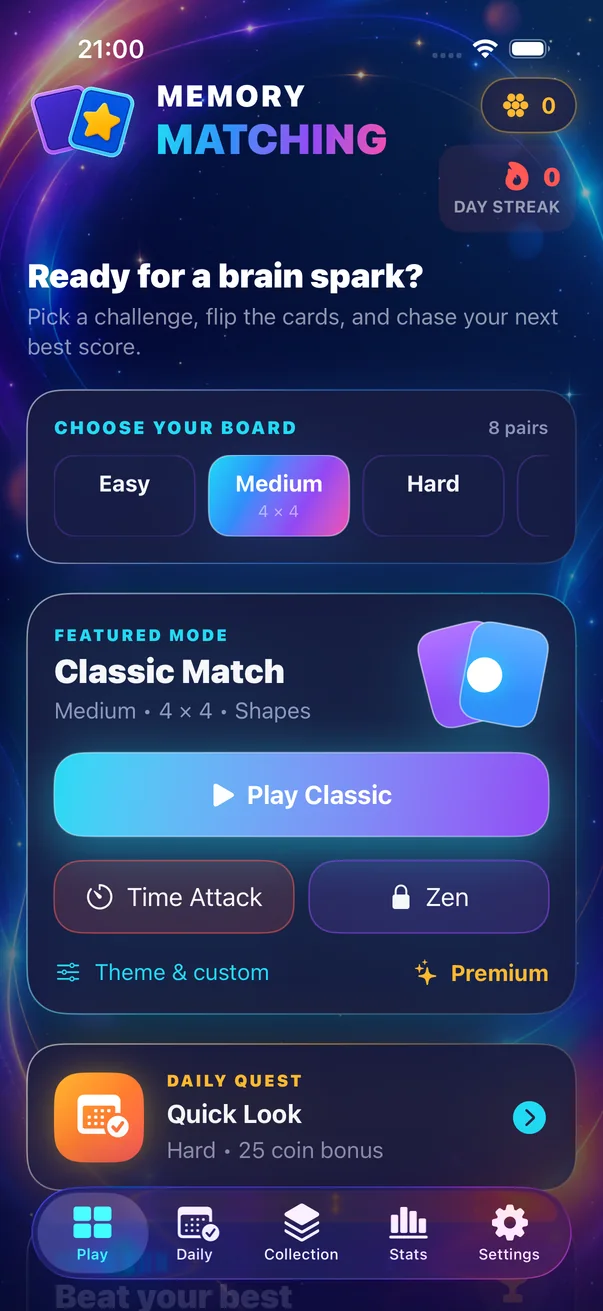
Hard: 4 × 5, ten pairs
Hard keeps four columns but adds a fifth row. That taller shape breaks the symmetry of Medium and introduces two extra pairs. It is a useful step before Expert because the grid is larger without changing to six columns.
Try Hard when you can clear Medium with a consistent method and still remember most mismatches on their first return.
Expert: 6 × 6, eighteen pairs
Expert is a substantial jump: 36 cards, 18 pairs, and many more possible locations. The challenge is not just the additional symbols; the larger centre has fewer obvious edge landmarks.
Divide the board into smaller regions. A 6 × 6 grid can become four 3 × 3 zones or six horizontal strips. Local structure makes a large board easier to describe and retrieve.
How to know when to move up
- You rarely reveal the same unknown card twice by accident.
- You can describe locations consistently, such as by row and column.
- Most mismatches become useful on a later turn.
- You want more symbols in play, not simply a faster timer.
When moving down is the smart choice
Choose a smaller board if the current grid has become a guessing exercise. Reducing the number of positions lets you practise one method—systematic scanning, location naming, or retrieving before tapping—without overload. Difficulty is a tool, not a ranking.
Classic difficulty vs Time Attack difficulty
Classic difficulty comes mainly from grid size. Time Attack adds a deadline calibrated per board: 75 seconds on Easy, 105 on Medium, 145 on Hard, and 300 on Expert. A size that feels comfortable in Classic can feel very different under a clock.
Recommended progression: clear a board in Classic with a repeatable system, then try the same size in Time Attack. Move up only when you want more positions to manage.
The tutorial is not a fifth difficulty
The interactive first-run tutorial uses a 2 × 2 board with two pairs. It teaches the mechanic but is not presented as a standard selectable board size. Public comparisons should use Easy, Medium, Hard, and Expert only.
Once you have chosen a board, use the strategy guide to make each reveal more deliberate.